
Last Updated: 26/March/2026
Virtual payroll cards are changing how companies pay their workers. Instead of using paper checks or plastic cards, businesses now use digital cards that live on a smartphone. This guide explains why this technology is better for everyone, how to set it up, and why it is safer than traditional banking.
Quick Comparison: Virtual vs. Physical Cards
| Feature | Virtual Payroll Cards | Physical Paycards |
| Setup Time | Instant (under 5 minutes) | 1 to 2 weeks for mail |
| Cost to Make | Usually Free | $5 to $15 per card |
| Security | Face ID & Dynamic CVV | Easy to lose or steal |
| Environmental Impact | Zero Waste | Plastic Waste |
How to Set Up Virtual Payroll in 4 Steps
Setting up a digital pay system is easier than opening a regular bank account. Here is the simple process:
- Pick a Platform: Choose a provider like Wallester, Wise, or Instant Financial that fits your team size.
- Connect Your Bank: Link your main business account to the payroll platform to move funds easily.
- Invite Your Team: Send an email to your workers. They will download an app and create their own digital card instantly.
- Schedule Payments: Set a rule so that every payday, the money moves from your account to their virtual cards automatically.
To automate your workflow, you can issue virtual payroll cards to your team in just a few minutes.
Deep Dive: Why Virtual Cards are Safer
Many people worry about digital money, but virtual cards are actually safer than plastic. Here is why:
Dynamic Card Numbers
Some virtual cards use “disposable” numbers. This means the card number changes after a big purchase. If a hacker steals the old number, it will not work anymore.
Instant Control
If an employee loses their phone, they can log in from any computer and click “Freeze Card.” This stops all spending in one second. You don’t have to call a bank and wait on hold for an hour.
Encryption and Privacy
Virtual cards use “Tokenization.” This hides the real account details. When a worker buys lunch, the store never sees their actual bank info. They only see a “token,” which is a temporary code.
How Companies Save Money (Case Study)
Let’s look at a small company with 50 employees.
- Old Way: They spent $10 per person on card printing, envelopes, and stamps every month. That is $500 a month or $6,000 a year just to send paychecks.
- New Way: They switched to virtual cards with zero printing costs. They also saved 10 hours of work every month because the system was automatic.
By switching to digital, they saved enough money to give their team a small holiday bonus. This shows that virtual cards are not just cool tech; they are a smart business choice.
Top Providers for 2026
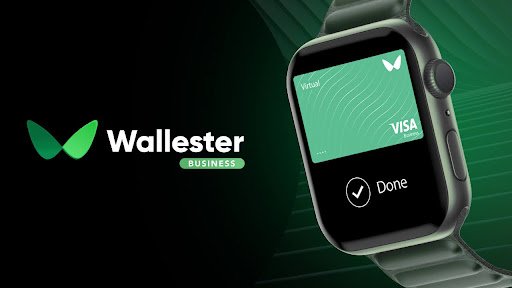
- Wallester Business: Best for tracking every cent your team spends. You can manage your team’s spending easily using platforms like Wallester Business.
- Wise Business: The best choice if you have workers in different countries like India, Pakistan, or the UK.
- Instant Financial: Known for “Earned Wage Access,” which lets workers get part of their pay as soon as they finish a shift.
- Payoneer: Perfect for paying freelancers and remote contractors safely.
The Future of the Unbanked Worker
Millions of people around the world do not have a bank account. This makes it hard for them to get paid. Virtual payroll cards solve this problem. They give everyone a “digital wallet” regardless of where they live. This helps companies hire the best talent from anywhere in the world.
Why Virtual Payroll is the Future of Business
Virtual payroll cards are solving the old problems of plastic cards and paper checks. They are not just a cool piece of technology; they are a smart way to run a modern company. By using digital pay, you show your team that you care about their safety, their time, and the environment.
Whether you are a small startup or a large company hiring workers in different countries, switching to virtual cards can save you thousands of dollars in fees and time. It is a win-win for both employers and employees. The world is moving away from cash and physical plastic, and virtual payroll is the next step in that journey.
Frequently Asked Questions About Virtual Payroll Cards
Can workers use these cards in physical stores?
Yes. As long as the employee’s smartphone has NFC (Tap-to-Pay) technology, they can use their virtual card at any physical store. The card simply needs to be added to a digital wallet like Apple Pay or Google Pay. This allows for a safe and contactless way to buy groceries, gas, or other supplies.
What happens if a worker deletes the app?
The employee’s money is completely safe. The funds are not stored inside the app itself but are held securely on the payroll platform’s server. If the app is deleted, the worker just needs to download it again and log in with their secure password to see their balance and card details.
Is there a limit on how much can be loaded?
Every platform has slightly different rules, but most are designed to handle full monthly salaries without any issues. Some providers may have daily spending limits to protect against fraud, but these can usually be adjusted by the employer or the bank to fit the worker’s needs.
You May Also Like:
Pedro Vaz Paulo: Mastering the Three-Tiered Leadership Framework
Freelancers and Pay Stubs: Why Self-Employed Workers Should Generate Their Own
For More Information, visit TryHardGuides.
Disclaimer:
This guide is for informational use only. We provide facts about digital pay systems to help you learn. However, we are not financial experts. Laws about payroll change in different countries. You should talk to a tax professional before starting a new payroll system for your business.

Alex Taylor is a seasoned technology writer and systems specialist with over 5 years of experience in hardware maintenance and digital troubleshooting. He specializes in practical tech guides, focusing on making complex technical repairs and software optimization accessible to everyday users. Alex personally reviews and fact-checks every guide to ensure that maintenance tips are safe, effective, and budget-friendly. Whether it’s a hardware fix or a software setup, his work is driven by a passion for technical clarity and real-world utility.