

Last Updated: 20/March/2026
Many students and parents have trouble with login issues, missing tiles, or finding tools like Canvas. If you cannot see your grades or school apps, MyKaty Cloud is the first place you should check.
This guide gives you easy steps to log in, fix common problems, and use the portal well. You will also learn what each app does so you can finish your school tasks without any stress.
What Is MyKaty Cloud?
MyKaty Cloud is the main digital tool used by Katy ISD. It gives students and parents one easy place to find school tools, apps, and helpful links.
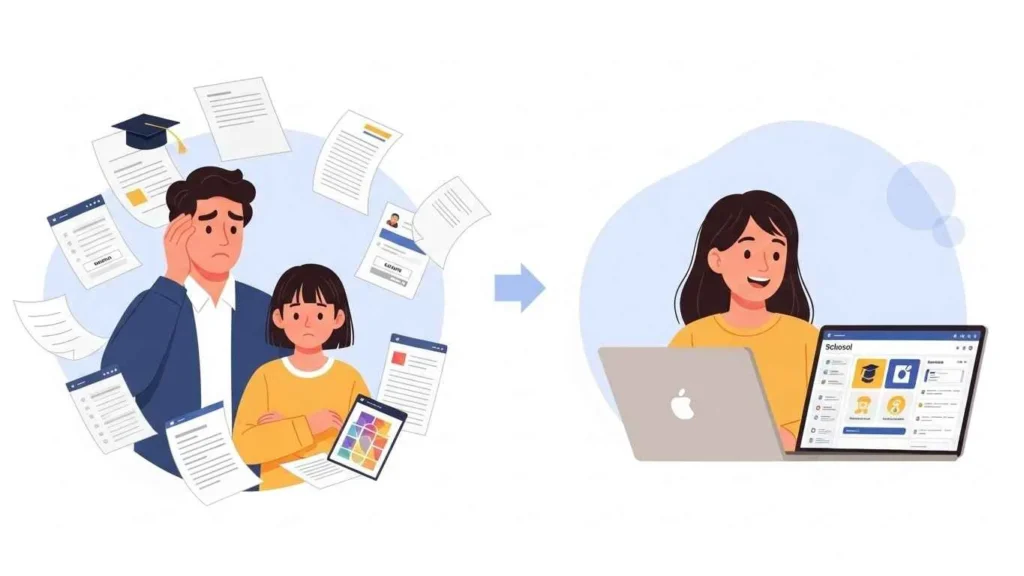
Instead of going to many different websites, you log in just once. After that, you can see everything from a single dashboard. This includes your lessons, grade tracking, online books, and ways to talk to teachers.
The system uses something called Single Sign-On. This means once you are logged in, most of your apps will open without asking for your password again.
Who Can Use MyKaty Cloud?
MyKaty Cloud is for:
- Students in Katy ISD
- Parents or guardians with a Home Access Center login
- Teachers and staff members
Students and parents use different login info. Students use the ID numbers given by the school district. Parents use their own Home Access Center accounts to get in.
MyKaty Cloud Login Steps
Follow these simple steps to get into your account:
- Open your internet browser and go to the official MyKaty Cloud website.
- Type in your username. Students use their school ID number. Parents use their Home Access Center login.
- Type in your password.
- Click the Sign In button.
Once you are logged in, you will see a screen with many squares called “tiles.” Each tile is a link to a tool like Canvas, your grades, or library books. If you are using a computer from your school, you might even be logged in automatically.
How to Reset MyKaty Cloud Password
If you forget your password, you can use the reset tool to fix it.
Steps:
- Go to the login page.
- Click on Password Self-Service or Forgot Password.
- Type in your username or student ID number.
- Follow the directions on the screen to pick a new password.
For younger students, the school might take care of passwords. If that is the case, talk to your school librarian or the front office for help. If the reset tool does not work, you should contact Katy ISD support.
Common MyKaty Cloud Login Problems and Fixes
Login issues happen often, but they are usually easy to fix. Try these steps if you have trouble:
- Check your password very carefully to make sure there are no typing mistakes.
- Clear your browser history and cookies.
- Use the Google Chrome browser because it works the best with this site.
If the page does not load at all, check your internet. A slow or weak connection can stop you from getting in. If an app tile does not open, try to refresh the page or log out and log back in. If you still have trouble, use the support tile or talk to someone at your school.
MyKaty Cloud Dashboard Overview
The dashboard is the first screen you see after you log in. It shows tiles for every app you are allowed to use. Each tile is for a different task, like doing homework or checking your schedule.
Main Features:
- You can move the tiles around to put your favorites at the top.
- You can mark the apps you use most as “favorites.”
- Use the search bar at the top to find an app quickly.
Your dashboard might look different than a friend’s dashboard. This is because the apps change based on your grade level and the classes you are taking.
Main Apps in MyKaty Cloud and What They Do
There are many apps inside the portal. Here are the most important ones you will use:
Canvas This is where you find your homework, lessons, and messages from your teachers. You can see when your work is due and turn it in here.
Home Access Center This shows your grades, how many days of school you missed, and your report cards. Parents use this to see how you are doing in class.
Sora This app gives you online books and audiobooks. You can borrow them and read them right on your computer or tablet.
Google Drive and Docs You use these for writing papers and making projects. Your work is saved automatically so you do not lose it.
Library Resources These are tools for research. They help you find facts for your school projects and reports.
How to Use Canvas Inside MyKaty Cloud
Canvas is one of the most important tools for school. Inside Canvas, you can view your assignments and due dates, turn in your homework online, and see the grades your teacher gave you.
The calendar tool is very helpful because it shows you when work is due. This helps you finish things on time. You can also send a private message to your teacher if you have a question. Checking Canvas every single day is the best way to stay organized.
Using Google Tools for School Work
Google tools are already part of MyKaty Cloud. You can use Docs for writing, Slides for making shows, and Sheets for math or data.
These tools are great because they save your work every few seconds. You never have to worry about losing a file if your computer turns off. You can also work with other students on the same file at the same time. Since everything is online, you can start a project at school and finish it at home.
MyKaty Cloud Mobile Access
You can use MyKaty Cloud on your phone or tablet. You can go to the website through your mobile browser or use the Katy OnTheGo app for news and updates.
Some districts use similar tools, like the Conroe ISD SSO portal, to help people log in quickly. The mobile version is good for checking your grades or seeing if you have new homework. While there is not one single app that does everything the portal does, most tools work just fine on a phone. For the best experience, make sure your phone’s browser is updated.
Tips for Parents Using MyKaty Cloud
Parents can use the portal to help their children do well in school. You can check grades and attendance through the Home Access Center and see what homework is coming up soon. You can even get alerts when a grade changes.
If you have more than one child in Katy ISD, you can usually see all of them using just one account. Checking the portal once a week helps you stay informed and ready to help your child.

Managing Assignments and Schedule
MyKaty Cloud makes it easy to stay organized. Use the Canvas calendar to see when things are due and use the dashboard to find your apps fast. You can also find your class schedule in the portal.
Following a set plan is helpful, much like how CCSD pacing guides help teachers stay on track with their lessons. If you check your tasks every day, you will not forget to do your work. You can plan your whole week by looking at what is due next. This makes school feel much less stressful.
Security and Safe Usage
It is important to keep your account safe. Follow these simple rules:
- Never share your password with anyone.
- Always log out if you are using a computer that other people use.
- Only use internet connections that you trust.
The school system uses filters to keep students safe while they are online. Using these tools also helps you learn how to be a responsible digital citizen.
What to Do If Apps Are Missing
Sometimes a tile might be missing from your dashboard. This might happen because the app is not for your grade level or your teacher hasn’t added you to the class yet.
First, try to use the search bar to find the app. If you still cannot find it, you should ask your teacher or the school’s tech support for help.
Support and Help Options
If you are having a hard time with the site, there are people who can help you. You can use the Tech Support tile on your dashboard or go talk to your school librarian. You can also call the school office. If your school Chromebook is broken, follow the rules the school gave you to get it fixed. Getting help quickly means you won’t fall behind in your classes.
Why Using MyKaty Cloud Matters
MyKaty Cloud is a tool you will use every day for your schoolwork, grades, and talking to teachers. If you cannot get into the portal, you might miss important news or a big assignment.
Learning how to use this system saves you a lot of time. It stops you from getting confused about where your homework is. When you know how to navigate the portal, you can stay organized and do your best in all of your school subjects.
Conclusion
MyKaty Cloud makes going to school online much easier by putting everything you need in one spot. You only have to log in once to take care of your homework, look at your grades, and talk to your teachers without having to open many different websites.
To get the most out of it, focus on the simple things first. Make sure you know your login and password, and try to look at Canvas every day to see your tasks. If something stops working, don’t worry—most problems have a very simple fix, and your school is always there to help you. By using the dashboard every day, you will feel more in control of your schoolwork and be ready for success in 2026.
Frequently Asked Questions
How can I find my child’s student ID for the login?
The student ID is a permanent 7-digit number. You can find it on your child’s physical ID badge, a previous report card, or within the Home Access Center (HAC). If you are new to the district, the front office of your child’s school can provide this after verifying your identity.
What is WebPass and do I really need to install it?
WebPass is a browser extension that enables the Single Sign-On (SSO) feature. While not strictly required to view the dashboard, you must have it installed to automatically log into apps like McGraw-Hill or Discovery Education without re-entering your password every time.
What should I do if a specific app tile (like Canvas or Sora) is missing?
Tiles are assigned based on grade level and course enrollment. If a required tile is missing, first use the search bar at the top of the MyKaty Cloud dashboard. If it still doesn’t appear, contact your teacher; they may need to sync your course roster or request access from the district’s tech department.
How do I reset a forgotten student password?
Students should use the “Password Self-Service” link on the login page. Note that for elementary students, passwords are often standardized by the campus. If the self-service tool fails, the quickest fix is to ask the campus librarian, who has the authority to reset student credentials.
Can I track my child’s school bus through the portal?
Yes. Look for the Smart Tag tile on your dashboard. This allows parents to see when their child boards or exits the bus and provides real-time updates on bus locations, helping you stay informed about delays and arrival times.
Disclaimer:
This guide is for informational purposes only and is not an official publication of Katy ISD. We are an independent resource not affiliated with or endorsed by the district. All logos and brand names like MyKaty Cloud are property of their owners. While we aim for accuracy, please consult official Katy ISD sources for the latest district updates.
You May Also Like: Macplon93 Mystery Solved: Your Complete Guide to Finding the Answer
For More Information, visit TryHardGuides.

Alex Taylor is a seasoned technology writer and systems specialist with over 5 years of experience in hardware maintenance and digital troubleshooting. He specializes in practical tech guides, focusing on making complex technical repairs and software optimization accessible to everyday users. Alex personally reviews and fact-checks every guide to ensure that maintenance tips are safe, effective, and budget-friendly. Whether it’s a hardware fix or a software setup, his work is driven by a passion for technical clarity and real-world utility.