
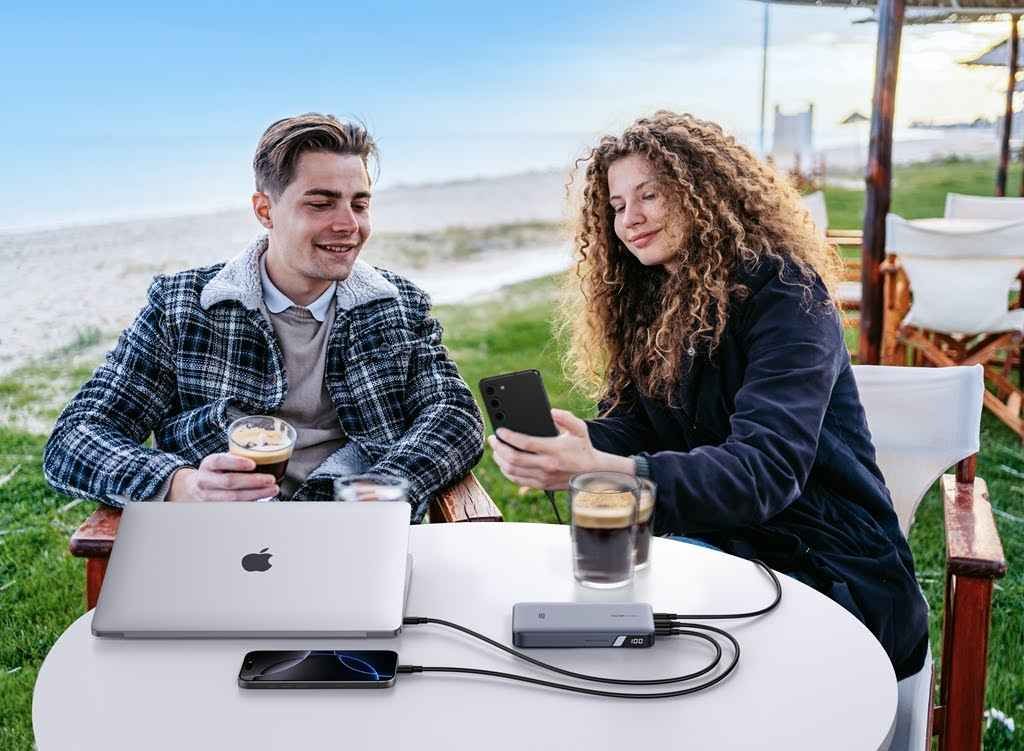
It can be frustrating to plug in your portable power bank and realize it’s charging far more slowly than expected. In many cases, slow charging doesn’t mean your power bank is broken—it’s often caused by charging limits, environmental factors, or normal battery behavior. Understanding what affects charging speed helps you set realistic expectations and improve performance safely.
What Is Considered “Slow” Charging for a Power Bank?
Before deciding whether your power bank is charging too slowly, it’s important to understand what “normal” charging actually looks like. Charging speed depends on capacity, input power, and battery design.
Typical Charging Times by Capacity (5,000 / 10,000 / 20,000mAh)
As a general rule, a 5,000mAh portable charger may take 2–3 hours to fully charge, a 10,000mAh model around 4–6 hours, and a 20,000mAh power bank anywhere from 8–12 hours. Larger capacities store more energy, so longer charging times are expected.
Input Wattage vs Charging Speed
Charging speed is determined more by input wattage than battery size alone. A power bank connected to a low-power adapter will charge slowly, while one paired with a proper fast charger can significantly reduce charging time.
Why Larger Power Banks Naturally Take Longer
Even with the same charger, larger power banks require more total energy. Safety systems also limit how quickly energy can be stored to prevent overheating and battery stress.
Using the Wrong Charger or Cable
One of the most common causes of slow charging is using the wrong charging accessories. Many users focus on output power but overlook the importance of input power.
Low-Watt Chargers Limit Input Power
If you use an older wall adapter or low-watt charger, your power bank can only draw limited power. Even a high-capacity power bank won’t charge quickly unless it’s connected to a fast charger that meets its input requirements.
USB-A vs USB-C Input Differences
USB-A inputs typically support lower power levels, while USB-C ports can handle higher wattage and modern fast-charging standards. Using USB-C input often makes a noticeable difference in charging speed.
Why Cheap or Damaged Cables Slow Charging
Low-quality or damaged cables increase resistance, which reduces charging efficiency. This can cause slow charging and excess heat, even when using a capable charger.
Power Bank Input Specs and Port Limitations
Not all power banks are designed to accept high-speed input. Understanding your device’s specifications helps avoid mismatched expectations.
Checking the Power Bank’s Max Input Rating
Always check the labeled input rating on your power bank. If it supports only 10W input, even the best fast charger won’t make it charge faster.
Fast-Charging Protocols (PD, QC, etc.)
Some power banks support fast-charging protocols like Power Delivery (PD) or Quick Charge (QC). Without protocol compatibility on both the charger and the power bank, charging speed will be limited.
One-Port vs Dual-Port Input Designs
Some power banks have multiple ports but only one supports fast input. Plugging into the wrong port can significantly slow charging.
Battery Percentage and Charging Phases
Even under ideal conditions, charging speed is not constant. Lithium batteries follow specific charging phases for safety and longevity.
Why Charging Slows Down After 80%
As the battery approaches full capacity, the charging system reduces input power to prevent overheating and overcharging. This is normal behavior.
Safety Limits to Prevent Overheating
Internal temperature sensors actively control charging speed. If the power bank starts to warm up, it may automatically slow down to protect the battery.
Why “Last 20%” Always Feels Slow
The final charging stage prioritizes battery health over speed, which is why the last 20% often takes the longest.
Temperature and Environmental Factors
Environmental conditions play a major role in charging performance, especially for lithium-based batteries.
Charging in Hot or Cold Conditions
Extreme heat or cold can significantly slow charging. Power banks charge most efficiently at moderate room temperatures.
Thermal Throttling Explained
When internal temperatures rise too high, power banks reduce charging speed automatically. This process, known as thermal throttling, protects internal components.
Why Power Banks Reduce Speed to Protect Themselves
Slower charging under heat stress isn’t a defect—it’s a safety feature designed to extend battery life and prevent damage.
Power Bank Age and Battery Health
As power banks age, their performance naturally declines. Charging behavior often changes before total failure occurs.
How Battery Degradation Affects Charging Speed
Older batteries have higher internal resistance, which limits how quickly they can accept charge.
Signs Your Power Bank Is Wearing Out
Reduced capacity, excessive heat, or noticeably slower charging can all indicate battery aging.
When Slow Charging Means It’s Time to Replace
If charging becomes consistently slow even with proper accessories, replacement may be safer and more practical.
Is Wireless Power Bank Charging Slower?
Wireless charging offers convenience, but it typically sacrifices efficiency compared to wired charging.
Efficiency Loss in Wireless Charging
Wireless energy transfer is less efficient, meaning more power is lost during charging.
Heat Buildup and Speed Reduction
Wireless charging—especially with a MagSafe wireless charger—generates additional heat, which can further reduce charging speed.
Wired vs Wireless Charging Speed Comparison
Wired charging is almost always faster and more efficient than wireless, particularly when recharging a power bank itself.
How to Charge Your Power Bank Faster (Safely)
Speed matters, but safety should always come first. These tips help optimize charging without damaging your device.
Use a High-Watt USB-C Charger
A compatible fast charger with sufficient wattage ensures your power bank can charge at its maximum supported speed.
Choose the Right Cable and Port
Use high-quality cables and confirm you’re using the correct input port designed for fast charging.
Charge in a Cool, Ventilated Area
Good airflow and moderate temperatures help maintain optimal charging speed.
Avoid Charging to 100% Every Time
Stopping around 80–90% reduces heat buildup and improves long-term battery health.
Common Myths About Slow Power Bank Charging
Some widely shared beliefs about charging speed are misleading or simply untrue.
“Bigger Power Banks Should Charge Faster”
Larger capacity means more energy storage, not faster charging.
“Leaving It Overnight Always Speeds Things Up”
Overnight charging doesn’t increase speed—it just extends charging time.
“Any Charger Works the Same”
Charger quality, wattage, and protocol support all directly affect charging performance.
Conclusion
A portable power bank charging slowly is often the result of normal limitations rather than a malfunction. Factors such as charger wattage, cable quality, battery percentage, temperature, and wireless charging efficiency all influence speed. By using a compatible fast charger, avoiding excessive heat, and understanding how features like a MagSafe Wireless Charger affect efficiency, you can improve charging performance while keeping your power bank safe and reliable over time.

Alex Taylor is a seasoned technology writer and systems specialist with over 5 years of experience in hardware maintenance and digital troubleshooting. He specializes in practical tech guides, focusing on making complex technical repairs and software optimization accessible to everyday users. Alex personally reviews and fact-checks every guide to ensure that maintenance tips are safe, effective, and budget-friendly. Whether it’s a hardware fix or a software setup, his work is driven by a passion for technical clarity and real-world utility.